

Blog

Google Business
Profile Links: What Every Restaurant Should Check
Broken order, menu and reservation links send hungry guests
to competitors. Here is what to check on
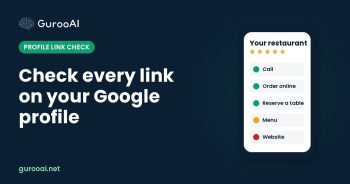
The links on your Google Business Profile are where searching turns into ordering. Your website link, your order button and your reservation link are the last step between a hungry guest and your register. When we review restaurant profiles, broken or confusing links are one of the most common problems we find, and one of the easiest to fix.
This post shows you what to check. If you tested every link on your profile this month and they all work on a phone, you can skip it.
Ask yourself
- Does your website link go to your own restaurant site, and to the right location page if you have more than one?
- Does your “Order online” link take guests straight to your menu, or to a page that makes them search again?
- Does your reservation link actually let someone book a table?
- Have you tapped every link on your profile from your own phone recently?
- Did you put any web addresses inside your business description?
Why links matter so much
A guest who taps “Order” and lands on the wrong page does not try twice. They go back to the map and tap the next restaurant. Clean links also help Google trust your profile: your website should clearly show the same name, address, phone and hours as your Google listing, and Google needs to be able to read that page. Links in your business description are not allowed, so keep web addresses in the link fields and your posts.
How to fix your links, in three steps
1. Point each link to the right place
Your website link should go to your own site. If you have several locations, link each profile to its own location page. Your menu and order links should open the menu for that location, ideally your own online ordering so you keep more of each order.
2. Make sure every action actually works
Tap every button on your profile from a phone: call, order, reserve, website, menu. Each one should let a guest finish what they started without extra steps. Fix or remove anything that lands on a generic page, a social profile or an error.
3. Keep your website and profile in sync
Your website should list the same name, address, phone and hours as Google, in plain text a search engine can read. When you change hours or add a service, update both on the same day.
Do the math
If 200 people tap your order button in a month and a broken link loses even one in ten, that is 20 orders gone. At a $30 average order, that is $600 a month walking to a competitor.
Your next step
Take five minutes today and tap every link on your profile from your phone. If you would rather have it checked and kept up to date every week, start with a free map audit. If we do not think we can help, we will tell you. Or call (980) 746-9959, option 4.